

One of the challenges I’ve been thinking about recently is ensuring code quality at scale. Specifically, on handling AI-generated code and finding use cases to adopt agentic workflows for overall better developer experience.
For context, I work in a BU responsible for two B2B SaaS products, built on a large monorepo of 100+ production services, ~10,000 Python files, and tens of thousands lines of code. All maintained by a group of 50-ish engineers!
My team maintains ~20% of these services, so we’ve invested a lot of time and energy in building tools and processes that allow us to ship new features while guaranteeing security and reliability to our customers.
In this post, I’ll share an AI workflow I designed for managing my team’s tech debt.
Tech debt at scale
We ran into friction with our dev velocity when shipping new features. Partly because some legacy systems weren’t designed to support new use cases or had an implementation that made sense at the time but later became an unavoidable bug. These are past pragmatic decisions for solving problems, which I do support.
However, stashing-small-todos-under-the-rug becomes a real pain point over time, especially when organisations want to move from startup stage to a large tech company.
So I started the conversation about code quality internally, and later expanded to wider engineering. I’ll cover more about code quality in next post. For now, I’ll focus on how we moved the needle with automated tech debt management.
If you’re interested to learn more on leading successful initiatives, check out below:

How we’re managing tech debt
Our tech debt generally comes from feature development and migration projects. We manage this on a dedicated kanban board, separate from our main board.
We review this board fortnightly and allocate every other Friday to work through tech debt in priority order. We gamify this work among the team and recognise the engineer who fixed the most tech debt, aka “The Fixer 🛠️”.
We used to curate this board manually by running a one-off script to create JIRA tickets (or even worse, on the UI). Other times we nudged people to write a ticket based on a TODO they found.
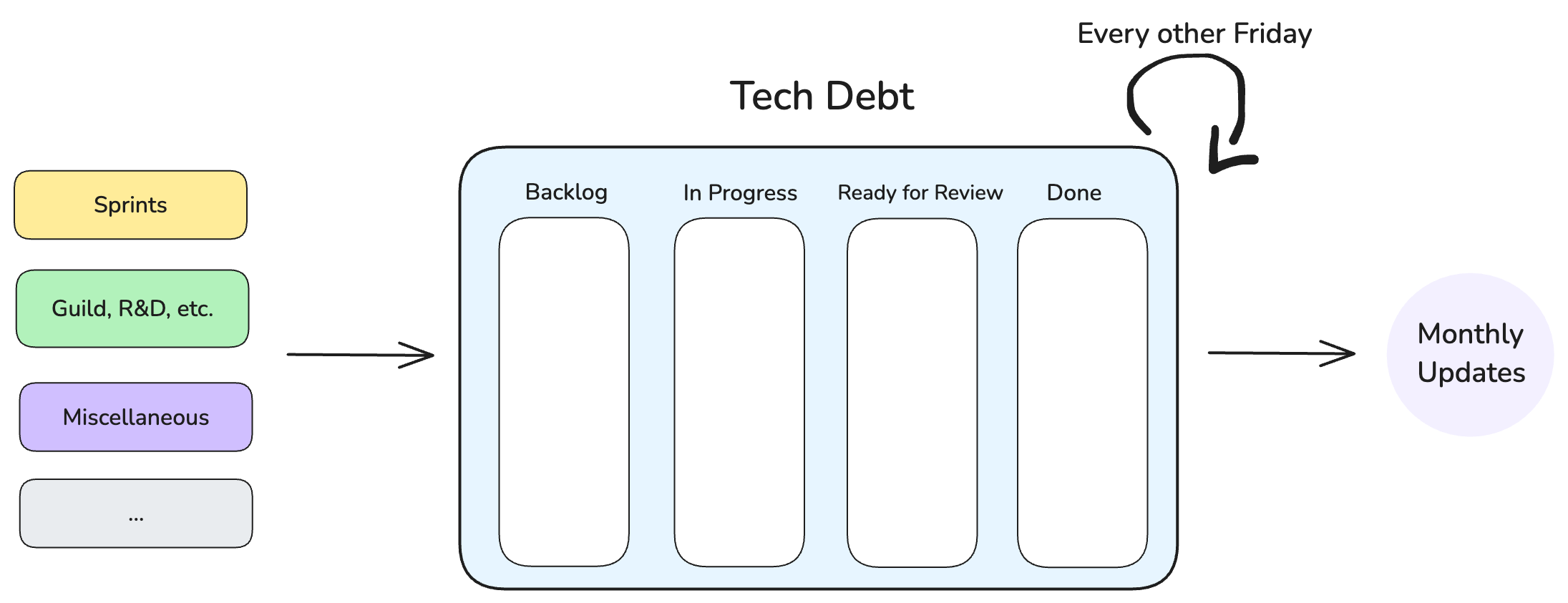
It took us time and bandwidth to actively update and review the board. Instead, we recognised that automating these repeatable steps can be handed over to an AI agent, which we did with Windsurf’s Cascade.
We defined a set of rules on the monorepo with MCP integration with Atlassian and GitHub. After that, we set up a Cascade Workflow that scans over selected services, finds any tech debt, and writes a detailed ticket to the board with proposed solution. I use Claude models (Sonnet and Opus) to run these workflows so it can analyse the complexity of the found tech debt and categorise it accordingly.
If it’s low-hanging fruit, an agent knocks it out with a PR.
If it requires deeper change, it goes on the board for an engineer to look into.
Benefits are:
We delegate the tech debt board management to an agent.
We make it easier to surface tech debt that requires an engineering input.
We delegate squashing small tech debts to an agent.
Below is a screenshot of an agent adding tech debt tickets to our kanban board.
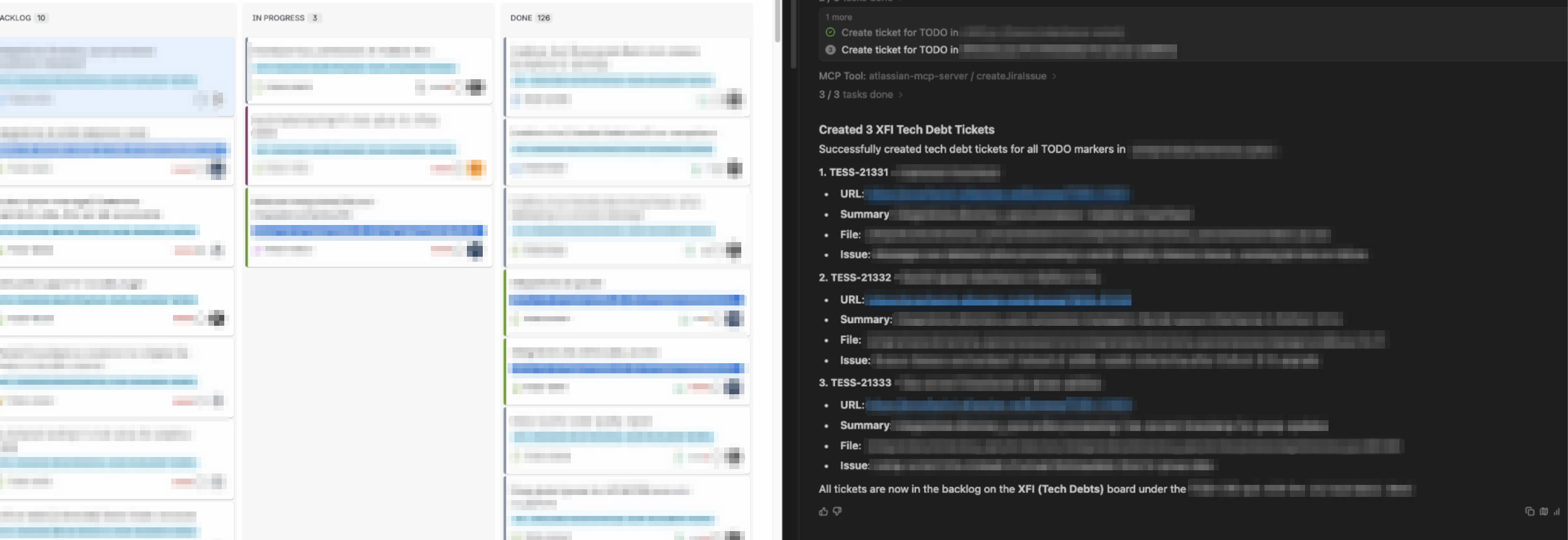
This is one instance of how we’re using AI tooling. We’re still integrating more with AI tools to automate most of our repeatable tasks. Code quality is definitely an opportunity worth capitalising on.
See the markdown template below for an AI workflow for creating tech debt tickets.
Workflow template
Use this as a starting point and refine to your standards and tools.
# AI Workflow: Create Tech Debt Ticket from TODO

> Compatible with Claude Code, Cursor, Windsurf (Cascade), and any AI assistant that supports tool use / MCP.

---

## Usage

```
/create-tech-debt-ticket <file_path>
/create-tech-debt-ticket <file_path> "TODO: specific text"
```

---

## Steps

### 1. Identify the TODO

- If a specific TODO is provided, use it directly
- Otherwise, scan the file for all `TODO` / `FIXME` markers and list them
- If multiple are found, ask the user to pick one
- Extract the TODO line and 5 lines of surrounding context

### 2. Check for duplicates

Before creating anything, search your issue tracker for existing tickets that reference the same file or TODO text. Show any matches to the user and ask whether to proceed.

> **Why this matters**: skipping this step turns a helpful workflow into a ticket spam machine.

### 3. Generate the ticket summary

Use a consistent format so tickets are scannable in the backlog:

```
[module.path] <TODO description>
```

Example: a TODO in `src/payments/utils.py` → `[src.payments] Refactor retry logic`

### 4. Generate the ticket description

Use a structured template so every ticket has the same quality bar:

```markdown
## Problem

<What is the tech debt? Why does it matter?>

## Location

- **File**: `<file path>`
- **Line**: <line number>
- **Code context**:

<5 lines before the TODO, the TODO line, 5 lines after>

## Proposed solution

<Suggest an approach based on the TODO and surrounding code. If unclear, write "To be determined during implementation.">

## Acceptance criteria

- [ ] TODO marker removed
- [ ] Solution implemented and reviewed
- [ ] Tests added or updated
- [ ] Linting and type checks pass
- [ ] PR merged and deployed
- [ ] No regressions in monitoring
```

### 5. Create the ticket

Use your issue tracker's API or MCP integration to create the ticket with:

| Field | Value |
|---|---|
| Project | Your team's project |
| Issue type | Task |
| Labels | `tech-debt` (or your team's equivalent) |
| Parent | Your tech debt epic |
| Description | Output from Step 4 |

### 6. Confirm with the user

Show the created ticket URL and summary. Remind the user which board/backlog it landed in.

---

## Adapting this workflow

| Tool | How to use this |
|---|---|
| **Claude Code** | Save as `.claude/commands/create-tech-debt-ticket.md`, invoke with `/create-tech-debt-ticket` |
| **Windsurf (Cascade)** | Save as `.windsurf/workflows/create-tech-debt-ticket.md`, invoke with `/create-tech-debt-ticket` |
| **Cursor** | Save as `.cursor/rules/create-tech-debt-ticket.mdc` and trigger via chat |
| **Any AI assistant** | Paste the steps above as a prompt with your file content |

For issue tracker integration (JIRA, Linear, GitHub Issues), connect via MCP or your tool's native plugin.